
Search the documentation..
3D Printing Home Hub
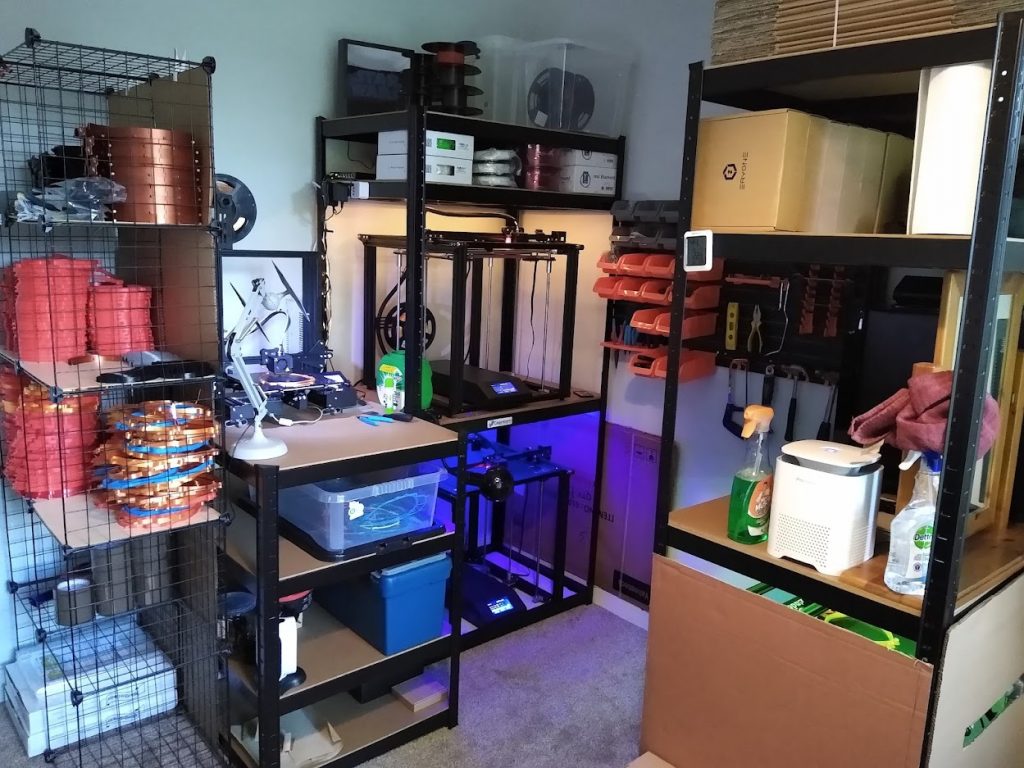
Here is my simple 3D printing home hub set-up to allow printing, machine management and monitoring jobs from anywhere. Running x1 Creality Ender 3 and x3 Creality Ender 5 Plus.
Each machine is connected to a Raspberry Pi set-up with OctoPrint and OctoEverywhere. This allows me to fully manage all the 3D printers from any local device via a web browser or remotely on my mobile phone using Printoid.

About Home 3D Printing
Home 3D printing, also known as desktop 3D printing or additive manufacturing, refers to the process of creating three-dimensional objects from digital designs using a 3D printer. This technology has gained significant popularity and accessibility in recent years, allowing individuals, hobbyists, and professionals to create a wide range of objects right in their own homes.
Here’s how the home 3D printing process works:
- Design: Create a 3D model of the object you want to print using 3D modeling software. This can be done from scratch or by modifying existing designs. There are various software options available, ranging from beginner-friendly to more advanced tools.
- Slicing: The 3D model is sliced into thin horizontal layers using slicing software. This software generates instructions that the 3D printer understands, including information about layer height, print speed, and support structures.
- Printing: The 3D printer deposits material layer by layer to build up the physical object. The most common printing technologies for home use include Fused Deposition Modeling (FDM) and Stereolithography (SLA). FDM printers use melted plastic filament, while SLA printers use liquid resin that’s cured by light.
- Post-Processing: Once the printing is complete, you might need to perform post-processing steps. This can involve removing supports, sanding rough surfaces, and adding finishing touches like painting or polishing.
Key advantages of home 3D printing include:
- Customization: You can create personalized and unique objects tailored to your needs and preferences.
- Rapid Prototyping: Home 3D printing is useful for creating prototypes of products or parts before committing to large-scale production.
- Educational Tool: It’s a great way to learn about design, engineering, and manufacturing processes.
- Cost-Efficiency: For certain items, 3D printing can be cost-effective compared to traditional manufacturing methods, especially for one-off or low-volume production.
- Accessibility: With the availability of affordable desktop 3D printers, this technology has become more accessible to a wider range of people.
However, there are also limitations to consider:
- Material Limitations: Home 3D printers are typically limited to certain types of materials, like plastics and resins. Industrial printers can work with more diverse materials.
- Print Speed: Printing complex objects can be time-consuming, especially on lower-end printers.
- Quality and Precision: The level of detail and precision achievable on home 3D printers might not match that of industrial-grade machines.
- Learning Curve: Learning to design and calibrate the printer correctly can take time and effort.
- Size Constraints: The build volume of home 3D printers can limit the size of objects you can create.
Despite these limitations, home 3D printing remains a fascinating and versatile technology that empowers individuals to turn their ideas into tangible objects without the need for a dedicated manufacturing facility.